
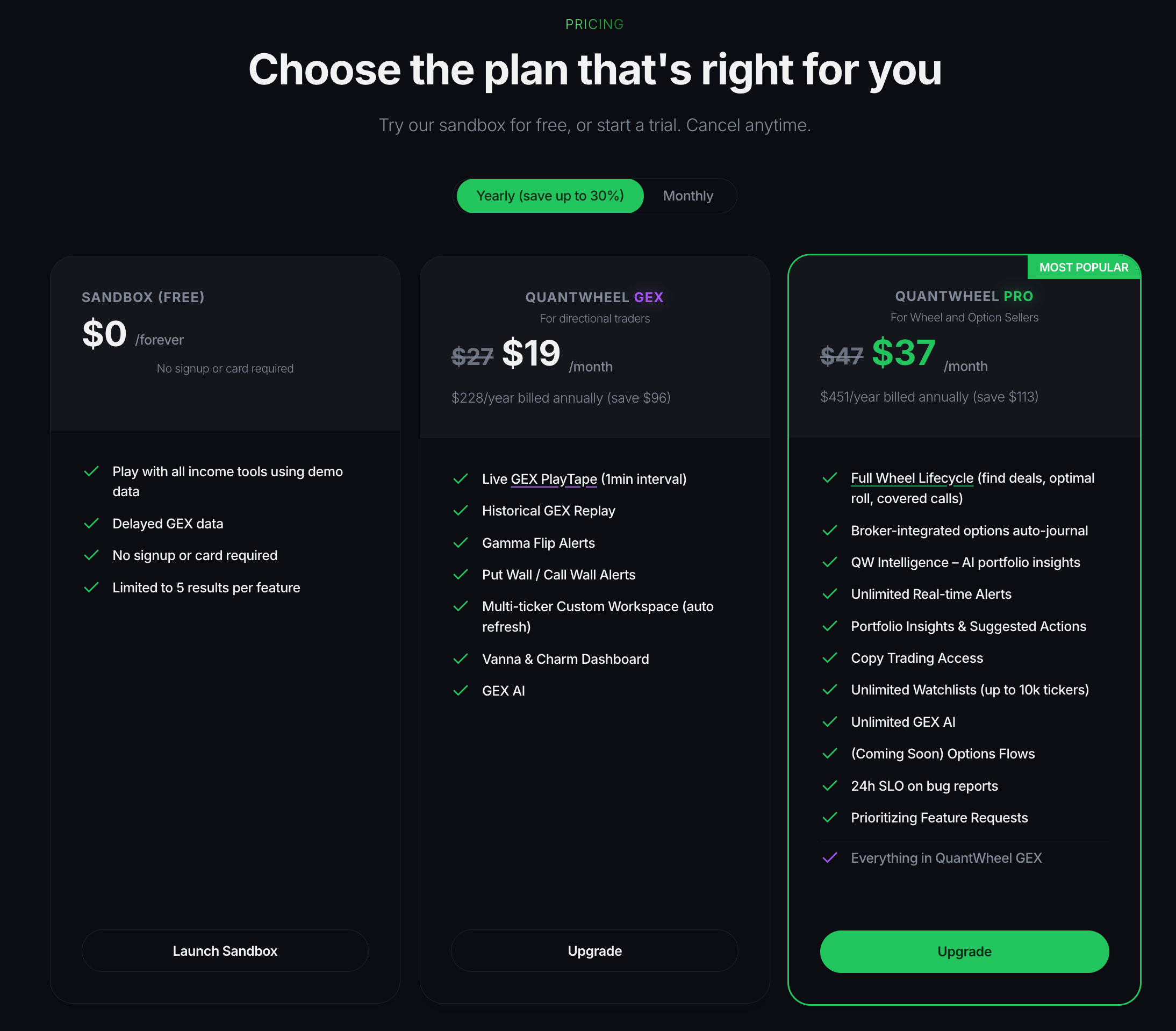
QuantWheel has a free demo and three paid plans: GEX (the gamma exposure suite), Wheel (everything in GEX plus the full wheel workflow, the broker-synced journal, QW Intelligence, alerts and copy trading) and Quant (everything in Wheel plus options flows, the REST API and full MCP access). This page explains what each plan unlocks and how to choose. Prices and the exact inclusions are on the pricing page.
Note: If you have seen "Advanced", "PRO" or "GEX + Wheel" referenced anywhere, those are old names. The three plans are GEX, Wheel and Quant, including at checkout.
What each plan includes
The demo
Cost: Free forever. No signup, no card.
What it includes: Demo access to the main product surfaces. You can preview the Wheel workflow, Journal, GEX, and QW Intelligence using sample positions and delayed GEX data; some paid-plan actions show an upgrade prompt.
What it limits:
- Screener results are capped at 5 per filter run.
- GEX data is delayed.
- You can't connect a broker or import real trades.
Who it's for: Anyone evaluating the product before paying.
GEX
Cost: On the pricing page. Every paid plan starts with a 7-day trial.
What it unlocks over the demo:
- GEX Heatmap and Historical GEX and Heatmap Replay
- Live GEX PlayTape
- Gamma Flip Alerts and Put Wall and Call Wall Alerts
- Multi-ticker Custom Workspace with auto refresh
- Vanna & Charm Dashboard and Max Pain
- GEX AI (one-click GEX, Vanna & Charm analysis) and the GEX Screener
- MCP access for the GEX features
- One broker connection with live positions and P&L
Who it's for: Directional traders who want real-time gamma exposure signals. GEX is about where price is likely to react, not about running the wheel.
Wheel
Cost: On the pricing page. Every paid plan starts with a 7-day trial.
What it unlocks over GEX:
- Full Wheel Lifecycle - the 4-tab Wheel workflow (Find Deals, Roll, Covered Calls, Results)
- Roll Finder to avoid assignment
- Broker-integrated Portfolio Insights and Suggested Actions
- Complete Options Journal - cost basis, rolls, transaction history
- QW Intelligence - AI trade ideas on your connected positions
- Real-time alerts and Smart Alerts
- Copy Trading access
- Unlimited GEX features
- Desktop App (the TradingView overlay)
- MCP access for the Wheel and journal tools
- Everything in GEX
Who it's for: Wheel and option-selling traders who want the full workflow plus broker-synced tracking. Wheel is the default choice if you're running the wheel.
Quant
Cost: On the pricing page. Every paid plan starts with a 7-day trial.
What it unlocks over Wheel:
- Options Flows - live premium flow on major tickers
- Full REST API access
- Full MCP access, including Flows, with the biggest daily call budget
- Access to alpha features
- Premium support
- Everything in Wheel
Who it's for: Traders who also read options flows, build on the API, or connect AI tools to everything.
When each plan matters
Pick a plan based on the job you want the product to do:
- You want to learn the wheel or evaluate the tool. Start with the demo. No commitment.
- You trade directionally and care about gamma exposure, not the wheel. GEX is the right plan.
- You run the wheel strategy and want auto-journal, broker sync, and the full workflow. Wheel is the right plan. GEX is included, so you don't need both.
- You also want options flows, the API or full MCP access. Quant is the right plan. Wheel is included.
You can start with the 7-day trial on any paid plan and switch or cancel from the Billing settings page at any time. The trial charges $1 at the start and converts to the full plan price on day 8 unless you cancel first.
How QuantWheel uses this
Plan selection flows through the product in three ways:
- At the top of every how-to, we list the plan requirement in the prerequisites block. If a feature needs the Wheel or Quant plan, you'll see "a Wheel or Quant plan subscription (or the trial)" before the steps start.
- In Settings → Billing, you can see your current plan, renewal date, switch between GEX, Wheel and Quant, or cancel. Switching takes effect immediately.
- In the demo, paid-plan features either show demo data with a delay notice or surface a "Start Trial" prompt. Some advanced actions are limited until you sign in or start a trial.
Common misconceptions
"The demo is a limited trial that expires."
It doesn't. The demo is free forever. It's a demo environment, not a countdown.
"The $1 trial is a free trial."
It's $1 for 7 days, not $0. We charge $1 upfront so we can verify the card. On day 8, the plan renews at the standard rate for the term you chose unless you cancel before then.
"GEX is an add-on I can buy on top of the Wheel plan."
GEX is a standalone plan and it's included in the Wheel plan. If you're on the Wheel or Quant plan, you already have every GEX feature. You'd only choose GEX as a cheaper option if you don't need the wheel workflow, broker auto-journal, or Copy Trading.
"Yearly billing locks me in for a year."
Yearly billing costs less per month and can be canceled from Settings → Billing. Refund terms for mid-period cancellations are in the cancellation flow.