Black FridayLast days30% off every plan. 50% off when you share a short video.30% off every plan ends 1 December, 23:59 CET.

Ends in
Get up to 50% off
QuantWheel

Manage ITM Positions

Options Roll Calculator

Position underwater? Calculate optimal roll strategies instantly. Find strikes and expirations to collect net credit.

$1 for 7 days • Cancel anytime • 14-day money-back guarantee

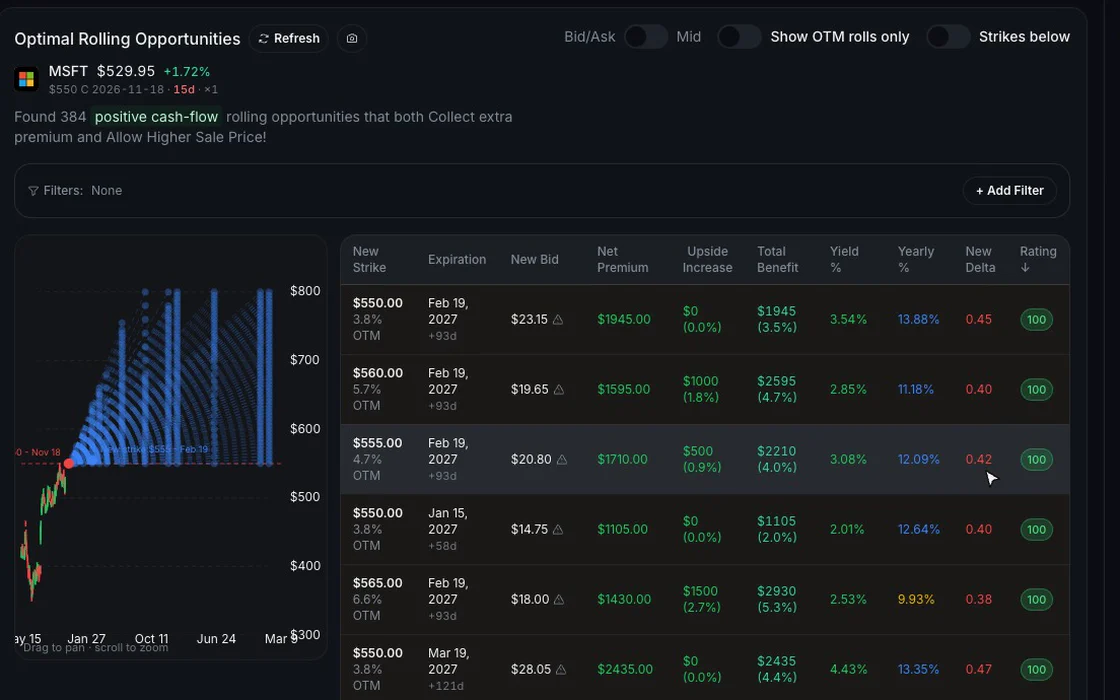
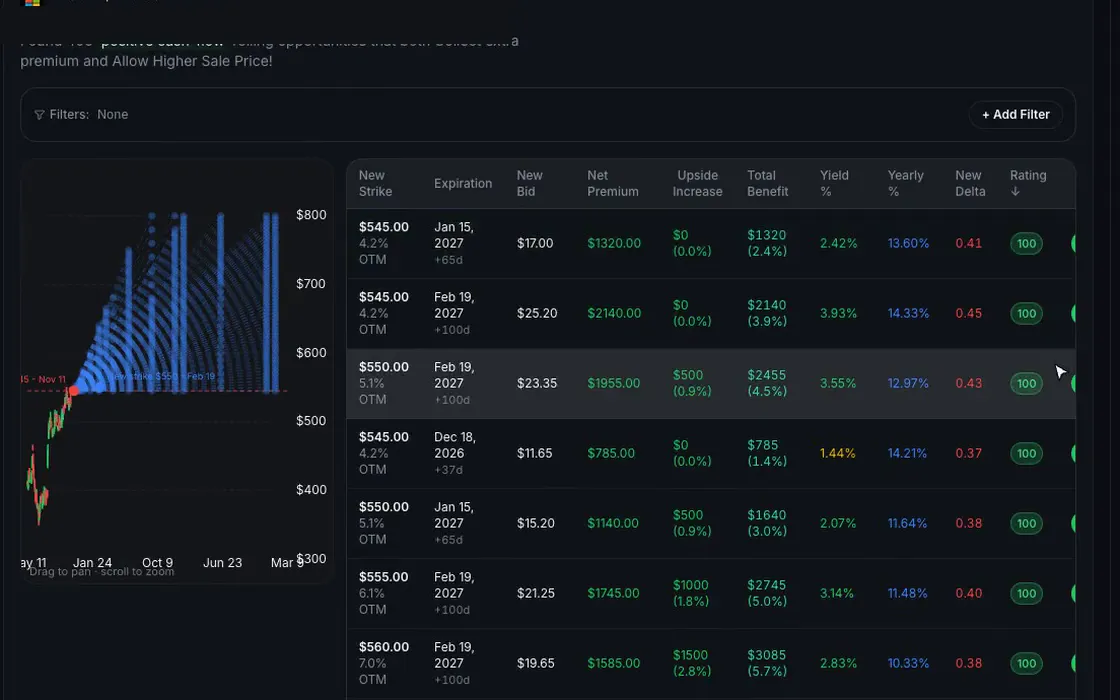
On sample data in the QuantWheel Roll Assistant, Roll on an MSFT covered call opens choices with strike, expiration and net premium

Capabilities

What Roll Assistant does

Preserve Capital

Avoid realizing losses by rolling for credit instead.
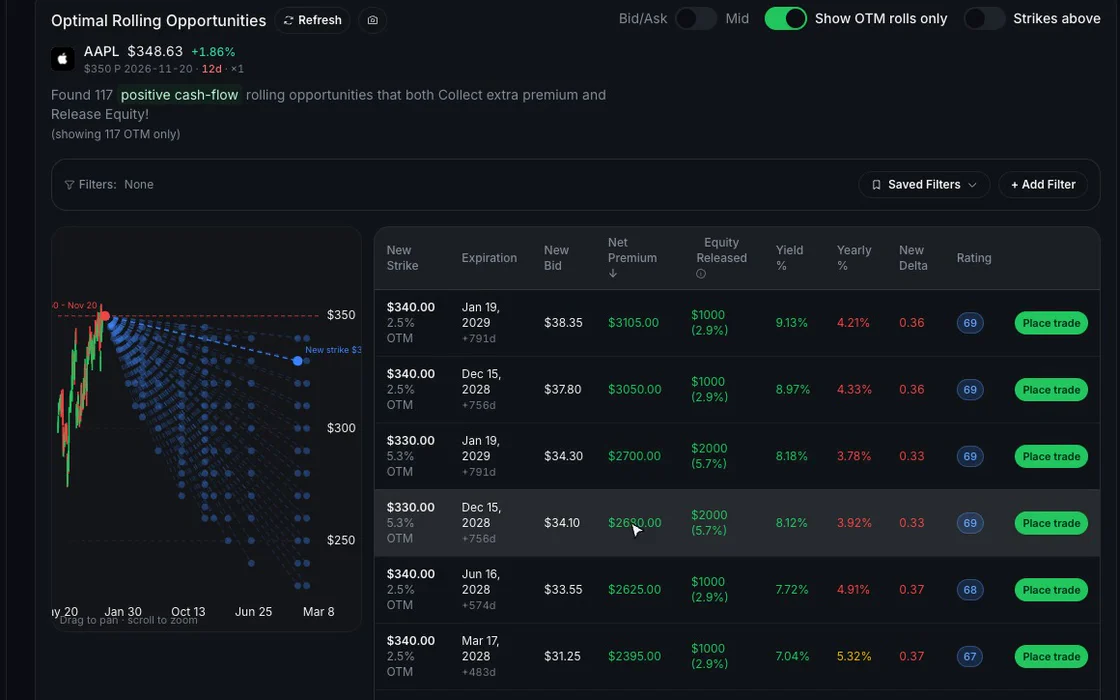
The pointer moving down the roll choices for an AAPL put, each row showing the new strike, expiration and net premium collected

Lower Cost Basis

Each credit collected reduces your effective entry price.

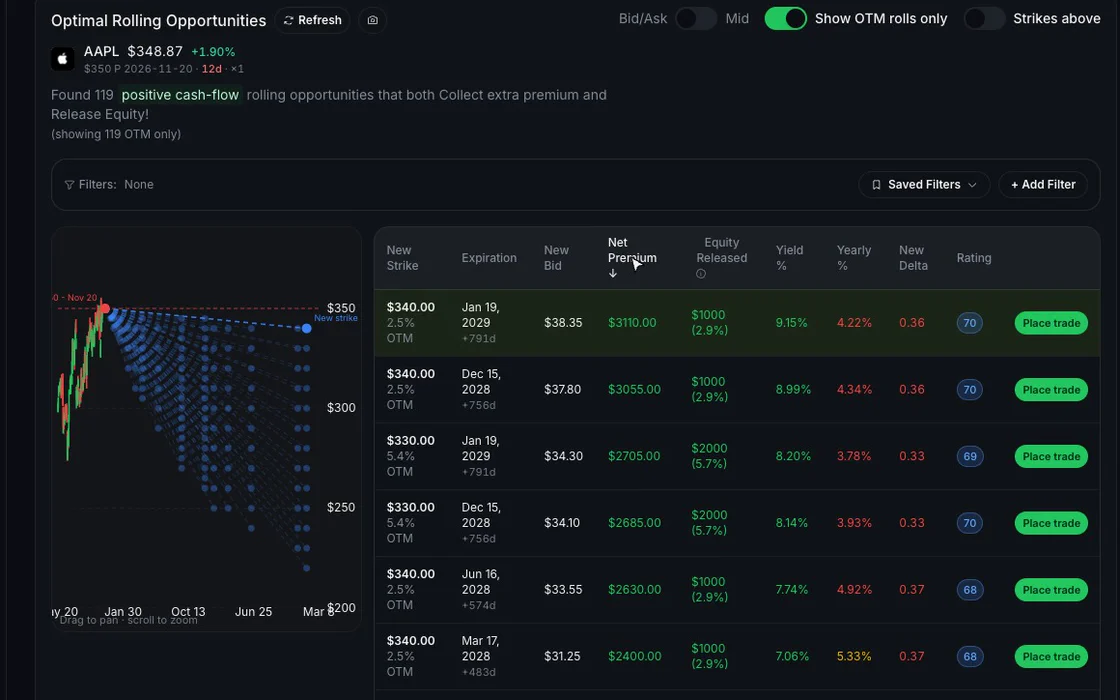
The roll choices sorted by expiration and then by net premium, so the credit and the extra time can be compared

Save Time

See all roll options instantly without manual calculations.

The Roll tab listing possible rolls of one covered call with the new strike price, expiration, net premium, yield and rating

How it works

Three steps

  1. Select the underlying

    Choose the ITM position that needs management - works both for puts & calls.

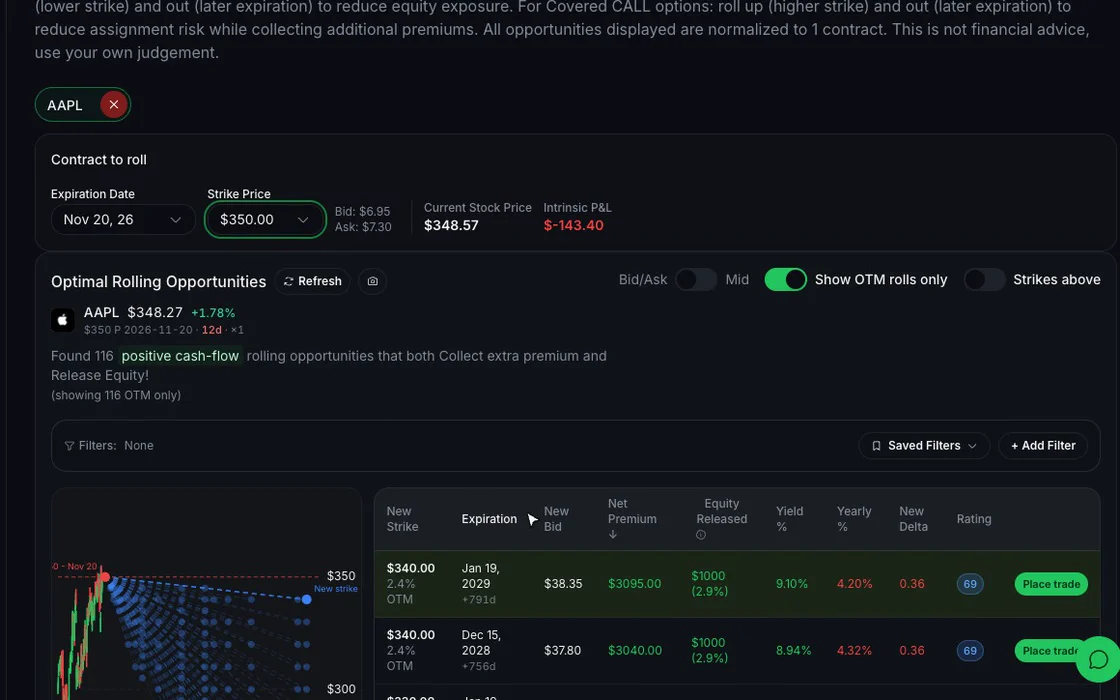
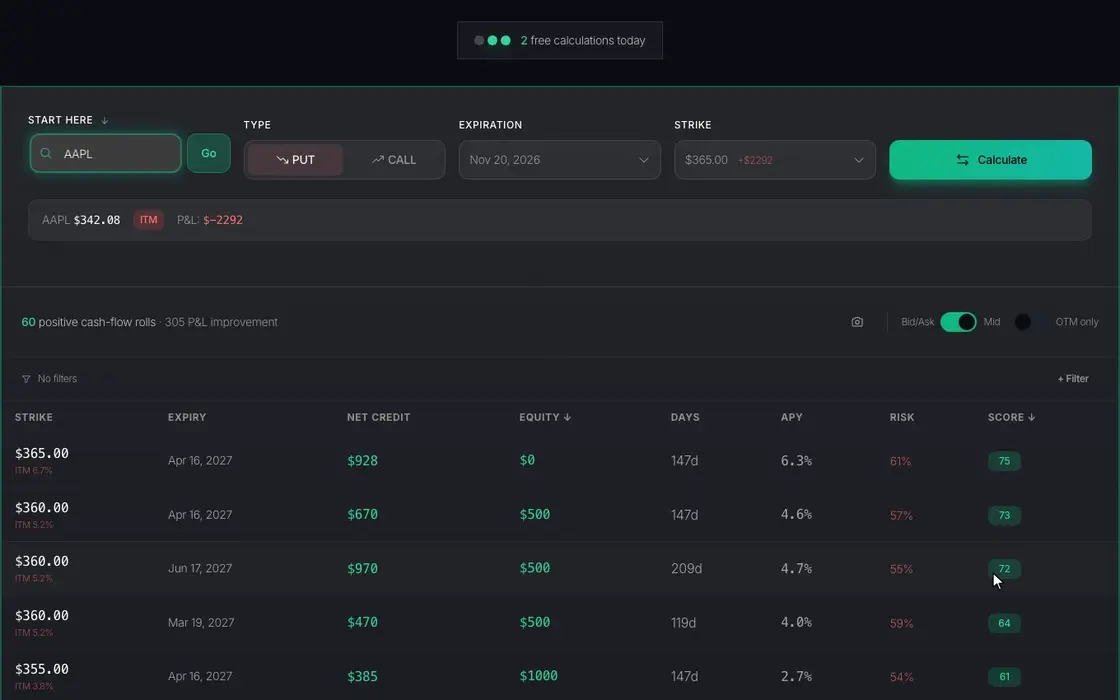
    An AAPL put with a November expiration is chosen, the $350 strike is picked from the list and the roll choices load
  2. Set your preferences

    Choose between bid/ask or mid price for calculations. Filter for OTM-only rolls if you want to escape the position entirely.

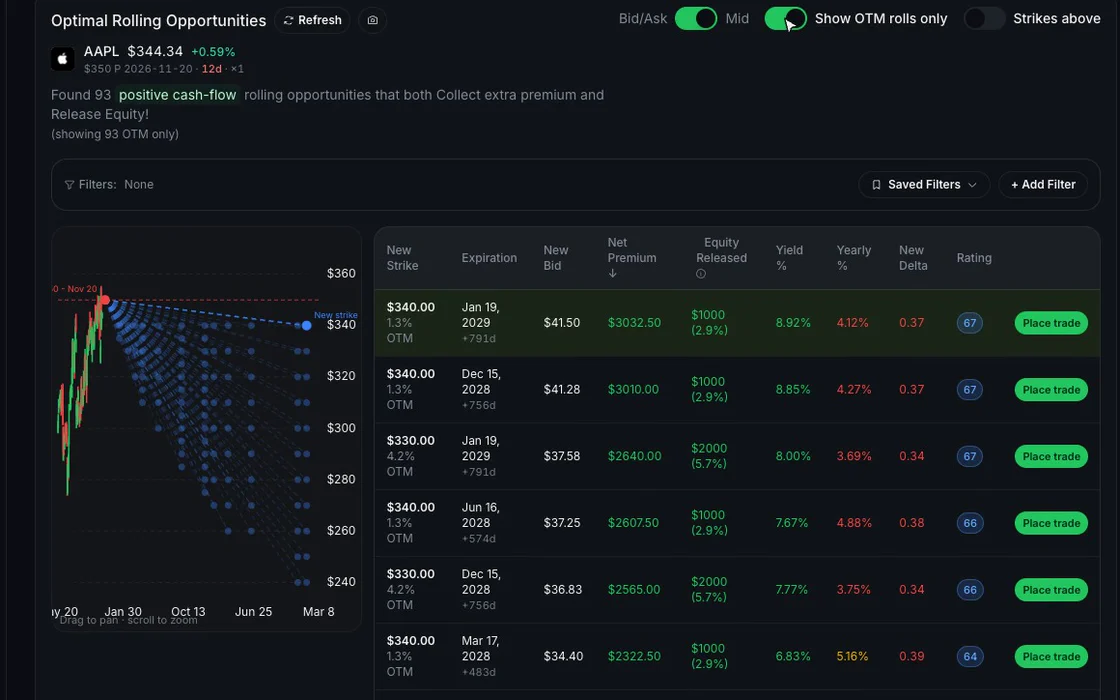
    Switching the price from bid/ask to mid and then showing out-of-the-money rolls only, with the count of rolls updating each time
  3. Review all roll options

    See every available roll combination with net credit, new expiration, and impact on your cost basis.

    An in-the-money AAPL put is calculated and the page shows the count of positive cash flow rolls above the table of rolls
Know the limit

The Roll Assistant ranks rolls by net credit from listed options prices; it is not financial advice, and every trade is yours to place in your own broker.

Continue your workflow

Pairs with

FAQ

Roll Assistant questions

Roll Assistant

When a position goes ITM, you have three choices: take assignment, close at a loss, or roll for credit. Rolling manually means comparing dozens of strike and expiration combinations to find one that collects premium while improving your situation. QuantWheel automates this analysis, showing you every viable roll option ranked by net credit.

Balance credit received against time extension. Some rolls offer more credit but extend duration significantly.

No. It shows every viable roll ranked by net credit; every trade is yours to place in your own broker.

Stop guessing on your rolls.

$1 for 7 days • Cancel anytime • 14-day money-back guarantee
Options trading involves substantial risk and is not suitable for all investors. QuantWheel provides a trading platform for research, analysis, screening, tracking, and workflow support. It does not provide personalized investment advice or guarantee trading outcomes.