Screen puts and calls
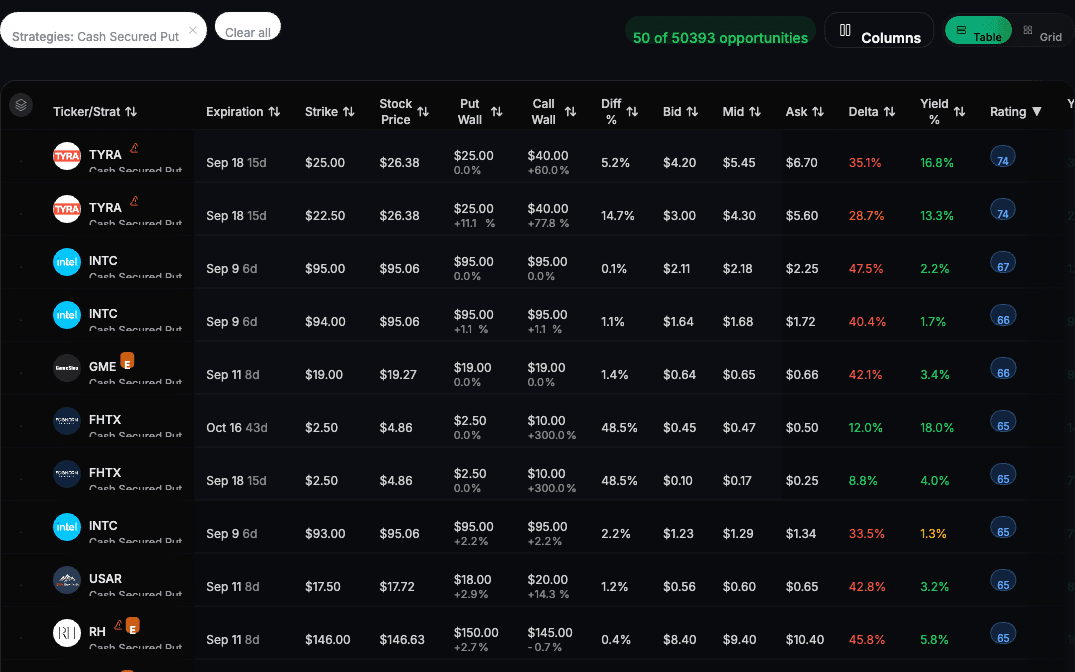
Filter cash-secured puts and covered calls by days, yield and delta, then sort by rating.
Analyze, Trade and Automate your stock and options trading
across 15+ brokers from one trading platform.
$1 for 7 days • Cancel anytime • 14-day money-back guarantee
Secure broker integrations
Used by over 2,000 options traders across 15+ brokers.
 FidelitySync-only
 RobinhoodSync-only
 SchwabSync-only
 E*TradeTrade & Sync
 Interactive BrokersSync-only
 tastytradeTrade & Sync
 TradierSync · Trade soon
 WealthsimpleTrade & Sync
 WebullTrade & Sync
 MoomooTrade & Sync
 QuestradeSync-only
 PublicTrade & Sync
 TradeStationTrade & Sync
 TradeZeroSync · Trade soon
 AlpacaSync · Trade soon
Trade through any broker marked Trade & Sync. The others sync only. Orders you place through QuantWheel go to your own broker, which executes them.
How we handle your data?Built by leaders from Microsoft and MongoDB, and a TradeLocker founder · 14-day money-back guarantee
For traders who sell options and run the Wheel. Screen for puts and calls, get ideas for the positions you hold, and see what is sitting unused.
Filter cash-secured puts and covered calls by days, yield and delta, then sort by rating.
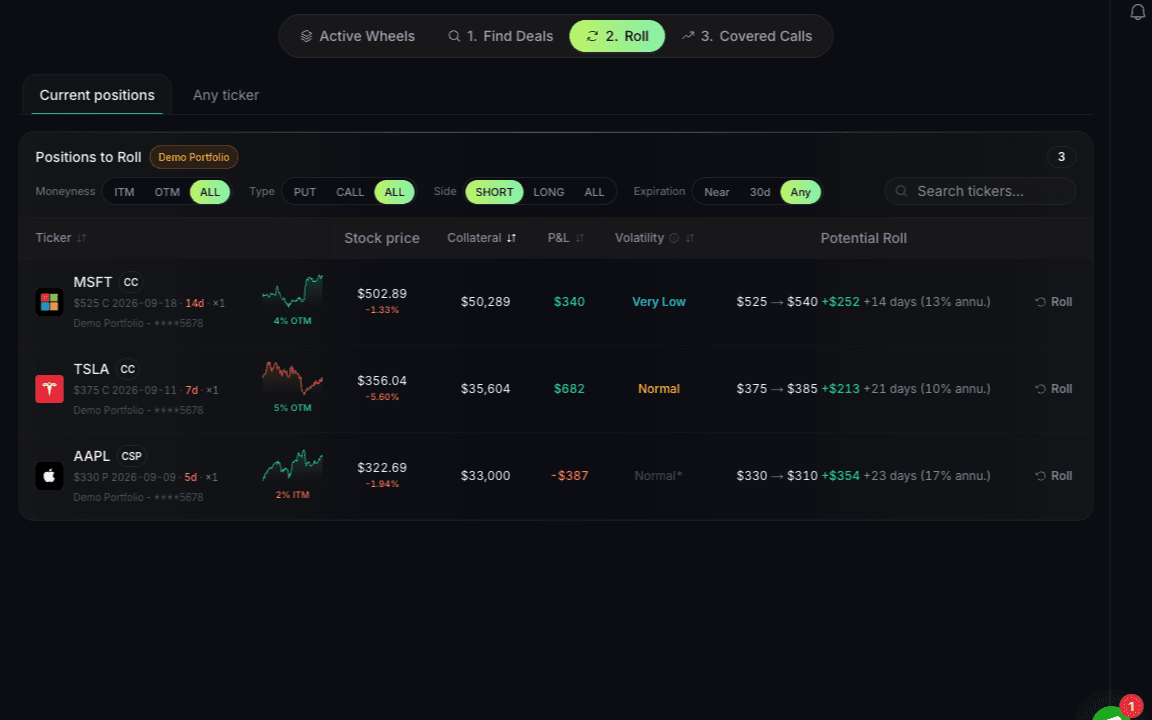
See covered-call, roll, and cash-secured-put suggestions based on the positions already in your account.
CSPs
 TSLA
TSLA NVDA
NVDANear assignment
Roll
 MSFT
MSFTBetter risk profile
Covered Calls
 AAPL
AAPL GOOG
GOOGMatching your filters
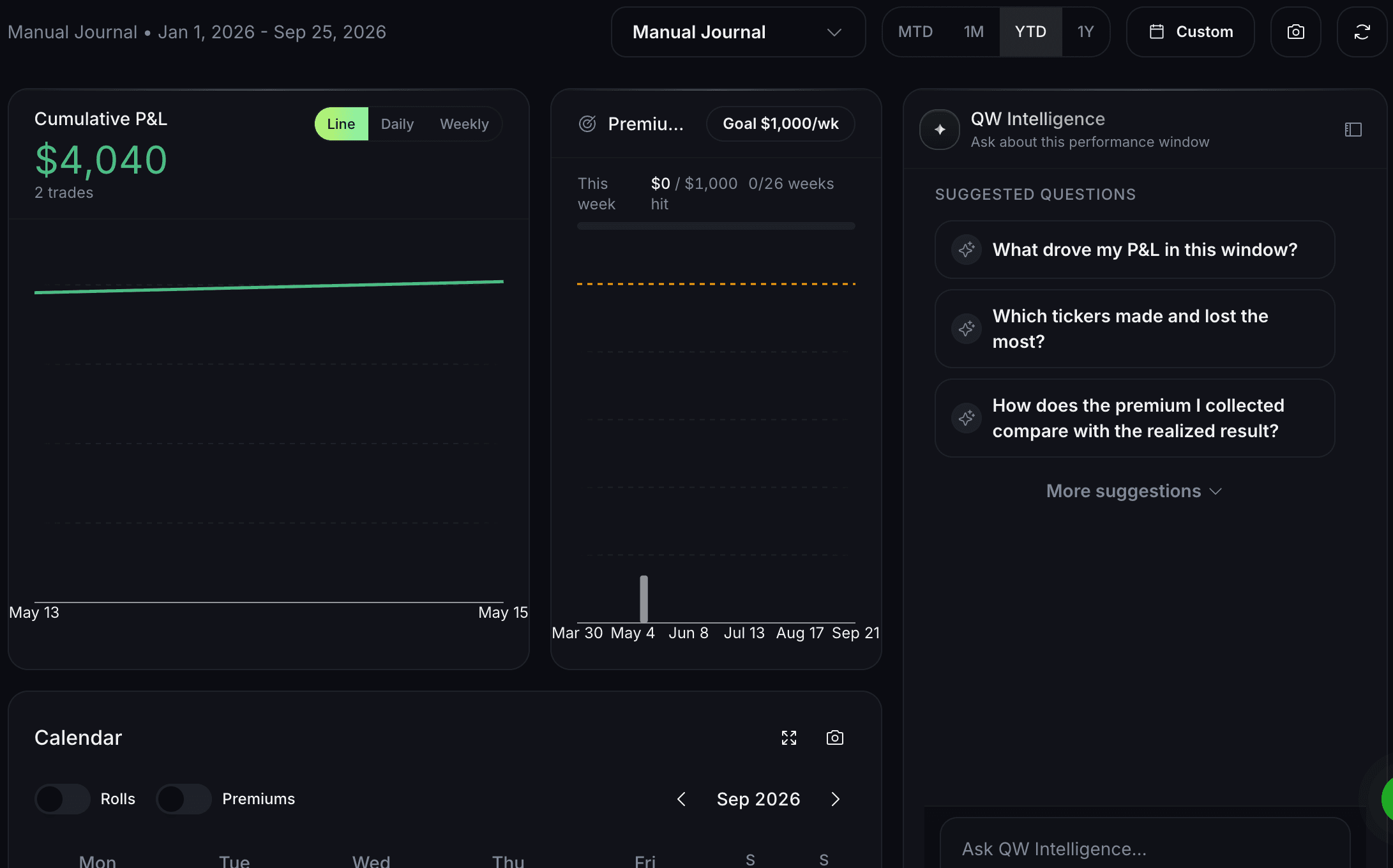
See cash that could back a put, shares without a covered call, and positions near assignment.
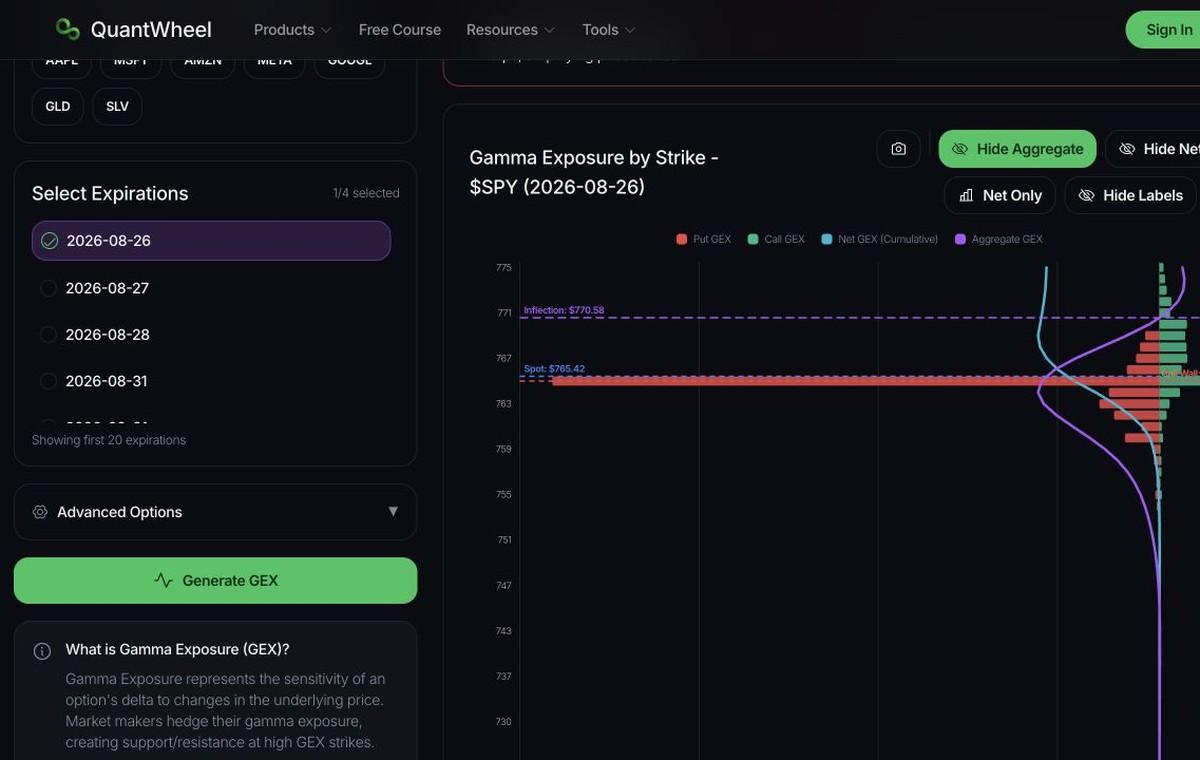
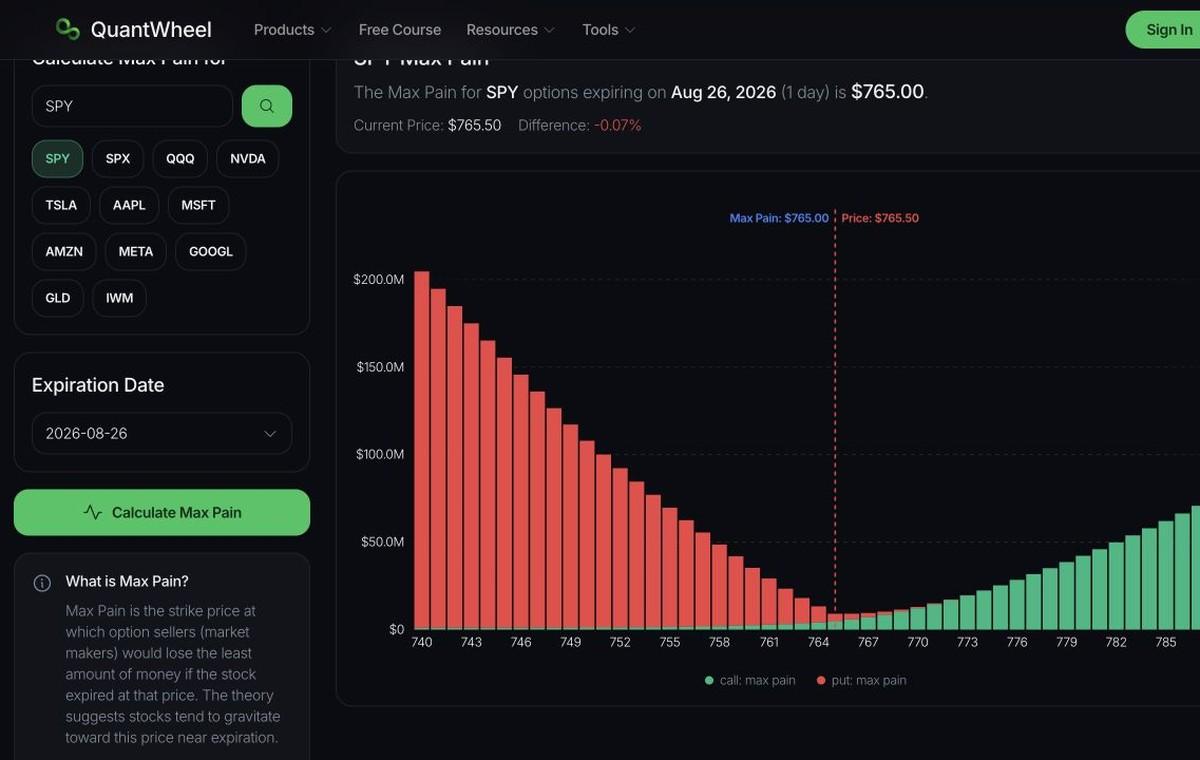
For day traders and anyone who wants extra confirmation on a position. Start with dealer positioning from GEX, Vanna and Charm, confirm it with live options flow, then compare exposure across strikes and expirations.
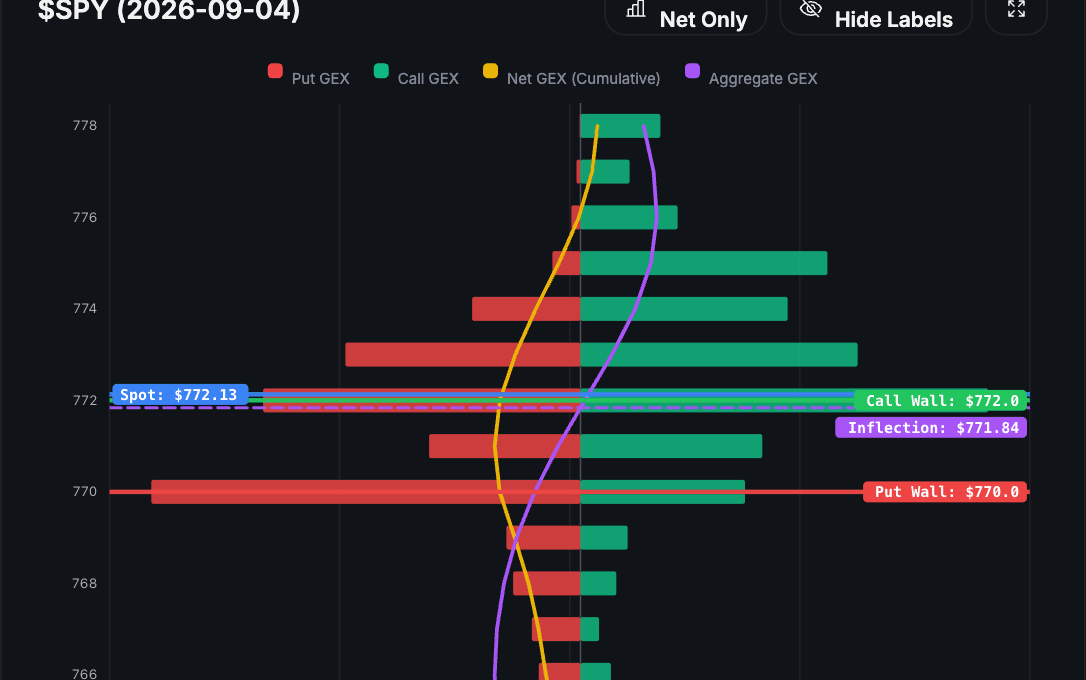
Mark the gamma flip, call wall, put wall, and major exposure levels for the ticker you are researching.
Watch live options flow to see whether premium is confirming or fading the positioning you mapped.
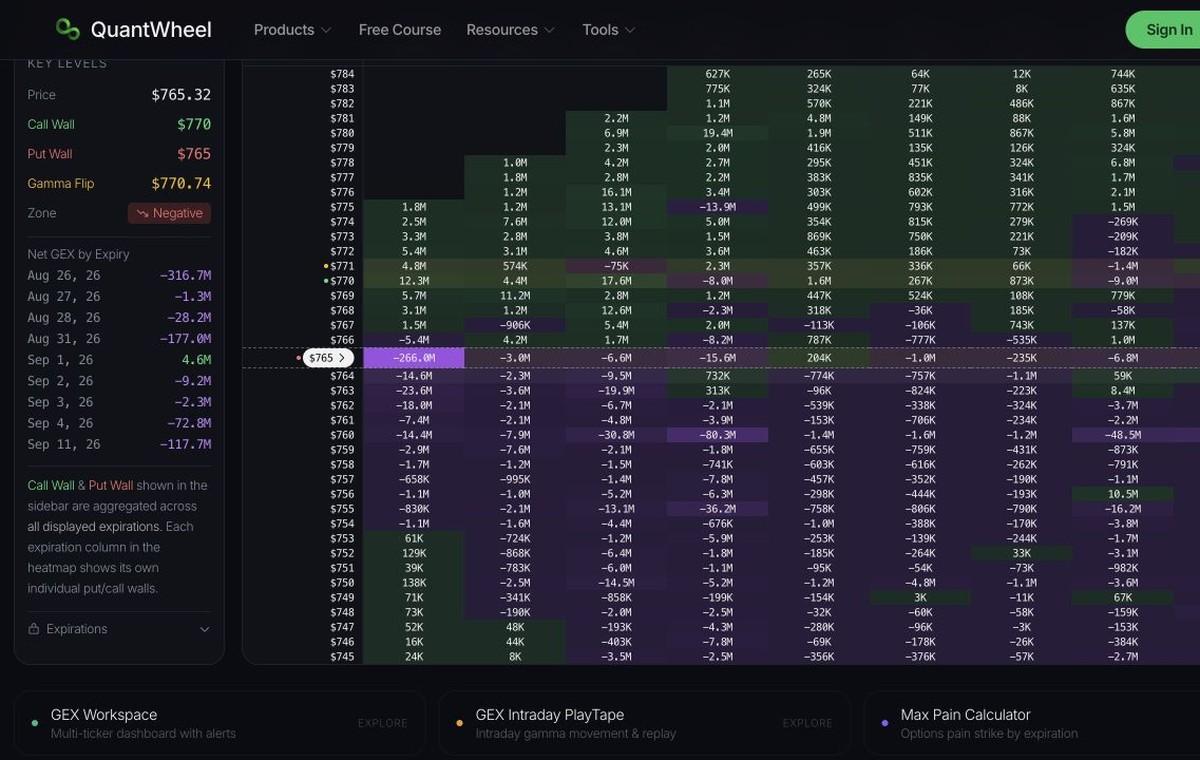
Use the heatmap to see where exposure is concentrated before planning your own trade.
Free tools, connected workflows, and clear learning. Start where you are.
No account needed. Some tools have a daily free limit.
Paid workflows that run on your own portfolio.
Plain-English lessons and step-by-step product guides.
It can use connected positions, cost basis, rolls, assignments, watchlists, and market data to support suggestions, jobs, and chat.
QuantWheel connections
Choose MCP for supported AI clients or use the API for a custom integration.
 Claude
 ChatGPT
 Grok
Grok Perplexity
 Hermes
 OpenClaw
Use MCP to give a supported AI client access to the QuantWheel tools and context you choose.
Explore MCPTestimonials
Feedback from wheel and GEX traders running their process on QuantWheel.
Mark B.
Directional options trader
Very user friendly, and an amazing tool for GEX exposure and planning trades around that.
Dead Gates
QuantWheel community member
New subscriber here. You guys got a great tool. The roll recommendations alone justified the cost. Who wants to monitor that?
knee pain
QuantWheel community member
GEX tool is so great for daily credit spreads.
Wissam Y.
GEX dashboard user
Really appreciate the personal follow-up. This level of customer care is top-notch. Love the direction of the GEX dashboard.
Richard K.
Options trader
Thanks for the trial period, it was helpful. Out of all the sites I checked out, yours seemed like the best.
Nishan
Software Engineering Manager, Microsoft
QuantWheel helped me find and sell my first Put! It was a profit as well.
Snowman
QuantWheel community member
Never seen such a fast response and action taking. Outstanding!
My husband and I had been interested in the wheel options strategy for a long time, but the complexity of knowing what to buy and when, and the time it would take to figure everything out, kept us from getting started. QuantWheel has finally changed that. With its intuitive platform, clear guidance, and timely notifications, we now feel confident and informed. This is exactly the push we needed to finally begin our journey into options trading.
Dave Feldstein
QuantWheel community member
I have a CSP that went below the strike this morning, but it was right near the put wall, so I waited for the reversal and did not panic. It really helps make for calm trading.
Sebastien G.
Wheel and GEX trader
I loved your app. I tried it for the GEX features at first, but since I trade the wheel a lot I found your feature set super useful for tracking them.
Anton
Software Engineer
QuantWheel enabled me to jump-start my option selling experience. Providing an overview of a general score for each trade combined with the most relevant stock metrics and AI risk analysis tremendously simplified the process of discovering the best trades at any given time. The team behind QuantWheel is experienced, offering quick and reliable support.
Watch our community ambassadors share their trading strategies and insights using QuantWheel.
No featured videos available at the moment. Check back soon!
FAQ
How QuantWheel works, what it can access, and what to expect before you connect an account.
About QuantWheel
Brokers and security
Plans, trial, and free tools
AI and integrations