

Bubbles at time and strike
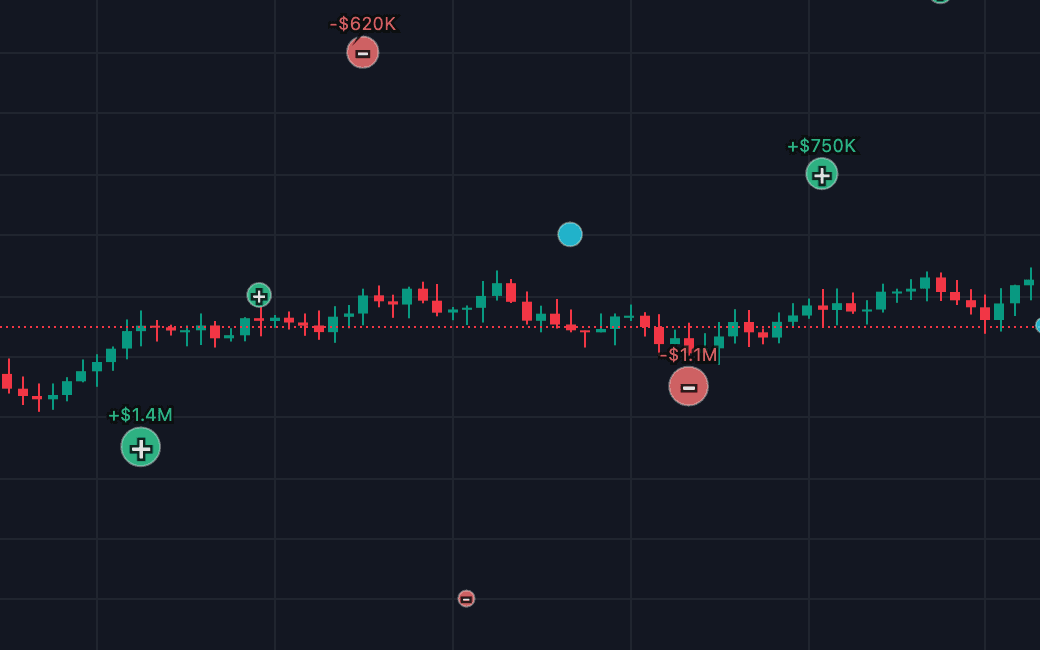
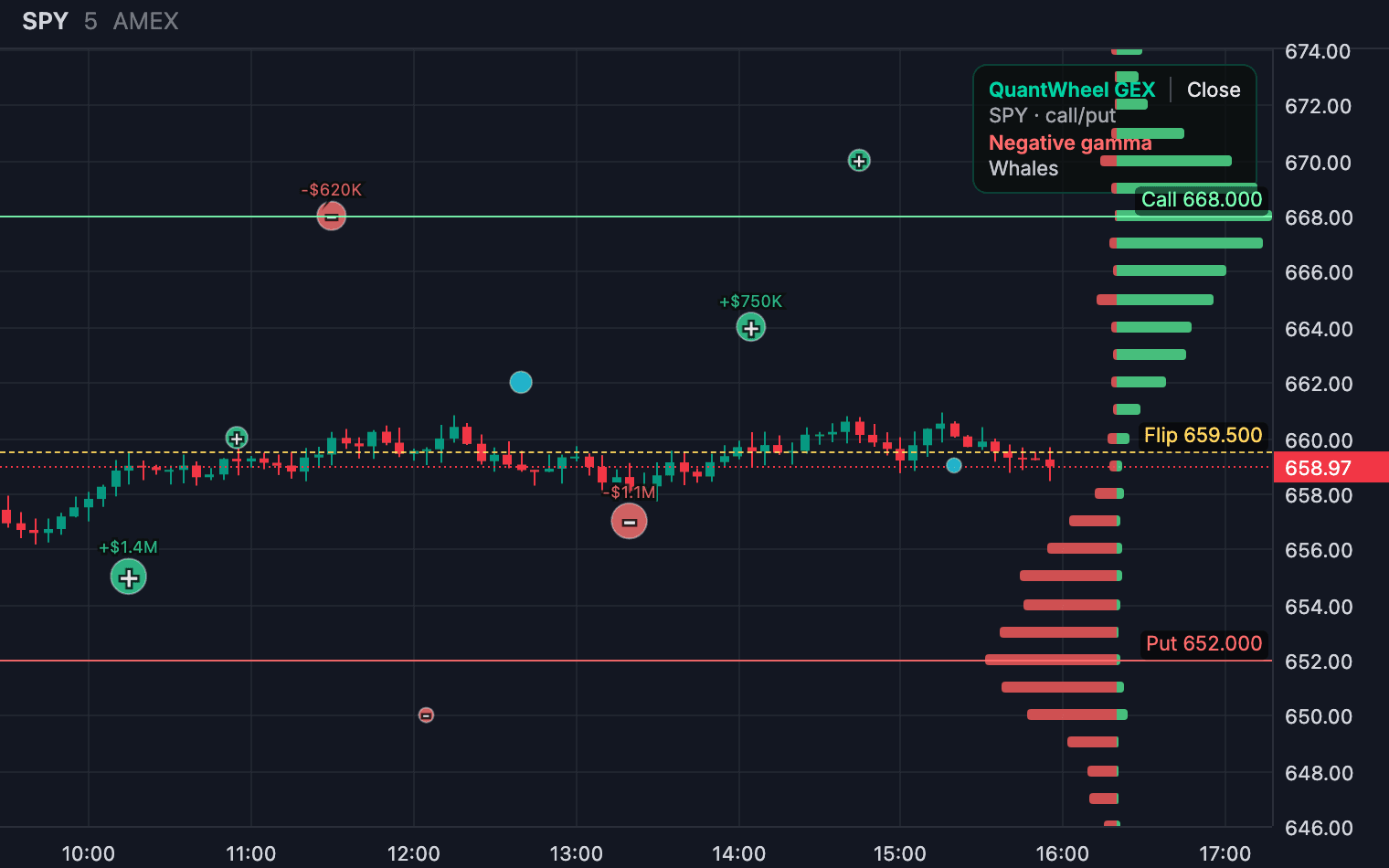
Each print sits at its bar and its strike, sized by magnitude, with the sign in the center.
Made by QuantWheelTradingView
Large options prints drawn where they happened, at their bar and their strike, instead of read as a detached list.
$1 for 7 days • Cancel anytime • 14-day money-back guarantee
No. It draws large options prints as bubbles at their time and strike and refreshes every 60 seconds. A large print does not reveal the full strategy, whether it opened or closed risk, or the trader's intent. It is research context, never a signal.
The same five facts on every indicator
Quant plan
$119/month
$1 for 7 days
Each print sits at its bar and its strike, sized by magnitude, with the sign in the center.
A label above the bubble names the print.
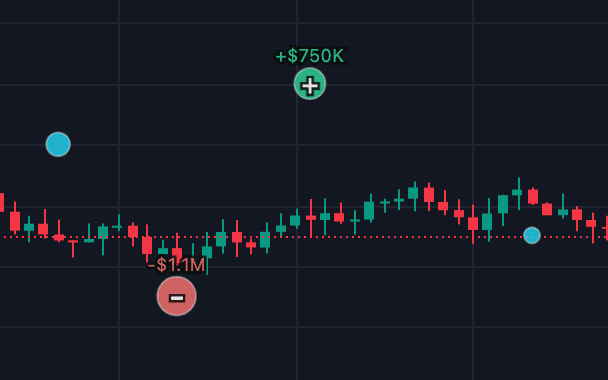
Hide the bubbles when they clutter the chart without removing the flow band or the levels.
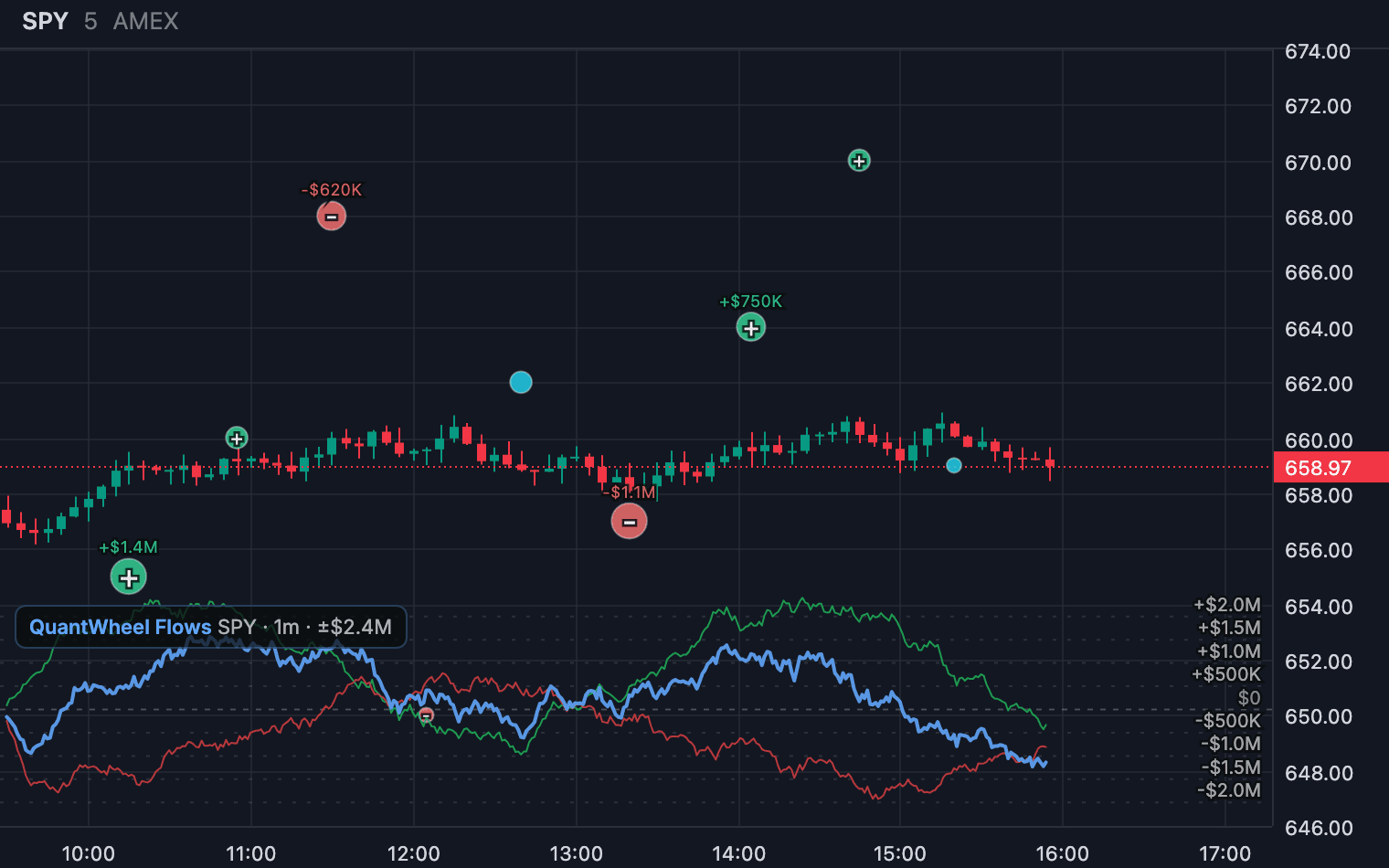
Turn on Flows lines beside the prints to see the activity around each one.
Anchor large prints to chart time and price
A large print does not reveal the full strategy, whether it opened or closed risk, or the trader's intent. It is research context, never a signal.
Cancel anytime. Renews at the same monthly price.
Install the extension from the Chrome Web Store. It needs Chrome 116 or newer.
Go to tradingview.com/chart and open the ticker you want to study. The extension follows the active chart.
Click the extension, paste your QuantWheel key once, and switch on the indicators you want.
No reviews yet. Reviews will show here as people use the indicator, low ratings included.
Whale prints
Each update appears here on the day it ships.

Options activity
Net, call and put premium flow in a band under the chart, at 30 second to 15 minute resolution.
Made by QuantWheelNo reviews yet
From $59/month billed yearly
Quant plan, $1 for 7 days

Gamma exposure
The GEX histogram, call and put walls, the gamma flip and GEX history dots on your chart.
Made by QuantWheelNo reviews yet
From $35/month billed yearly
Wheel or Quant plan, $1 for 7 days

Gamma exposure by strike and time
Gamma exposure by strike and time behind the candles, with expiration slices beside the chart.
Made by QuantWheelNo reviews yet
From $35/month billed yearly
Wheel or Quant plan, $1 for 7 days
The facts come from the indicator's own page and the QuantWheel pricing page, checked 17 October 2026.