
A watchlist is a named group of tickers. You create as many as you want, add tickers to each, and use them as the scope in Find Deals screens and Smart Alerts — "screen only the tickers in my Tech watchlist" or "alert me when any ticker in my Core Holdings drops 5%." Watchlists make screening and alerting scoped to tickers you actually care about.
Before you start
Required:
- A QuantWheel account. Watchlists work on all tiers, with higher tickers-per-list limits on PRO.
Time to complete: 5 minutes
Steps
1. Open the Watchlists page
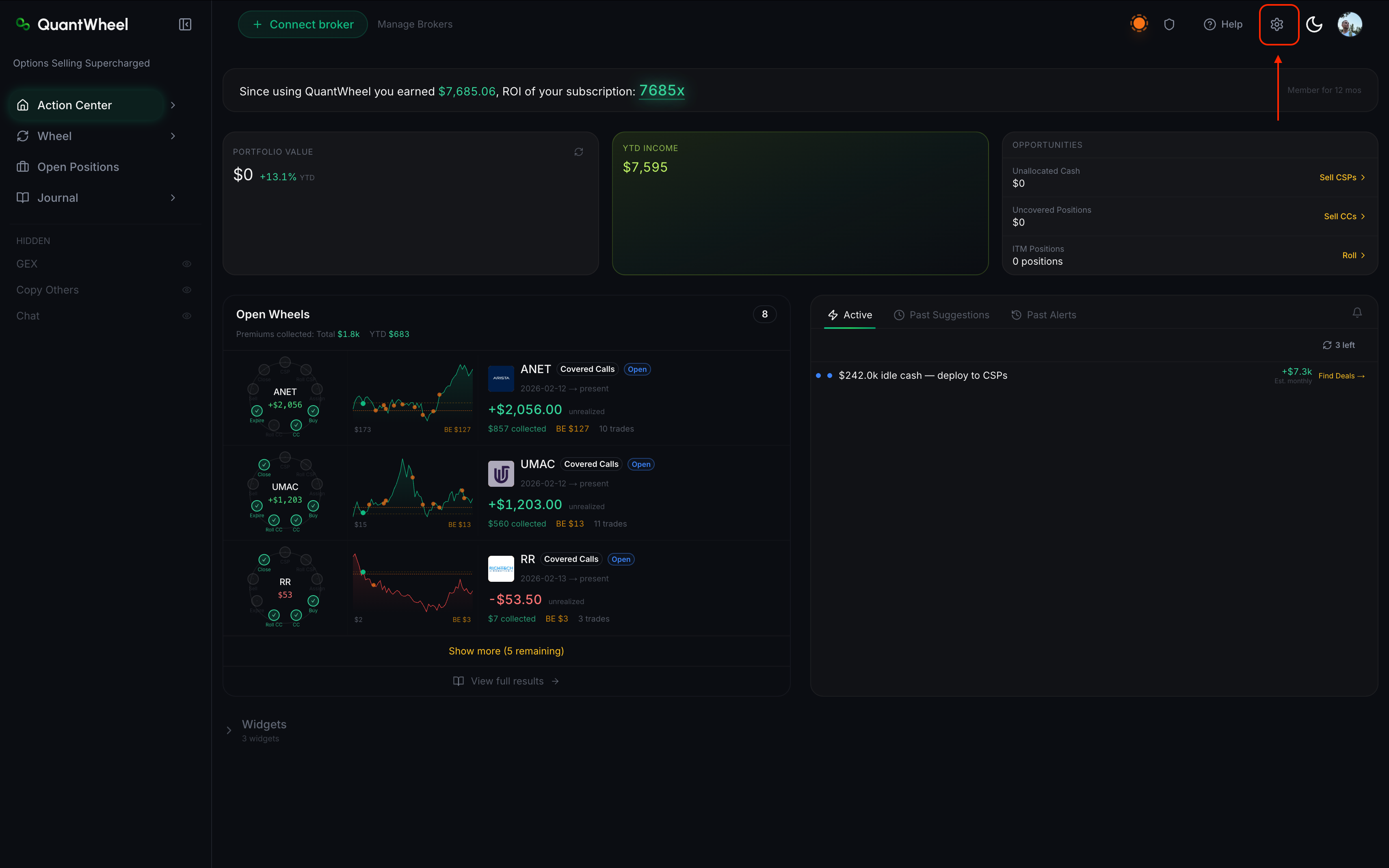
Click the gear icon in the top bar → Settings → Watchlists.
2. Create a new watchlist
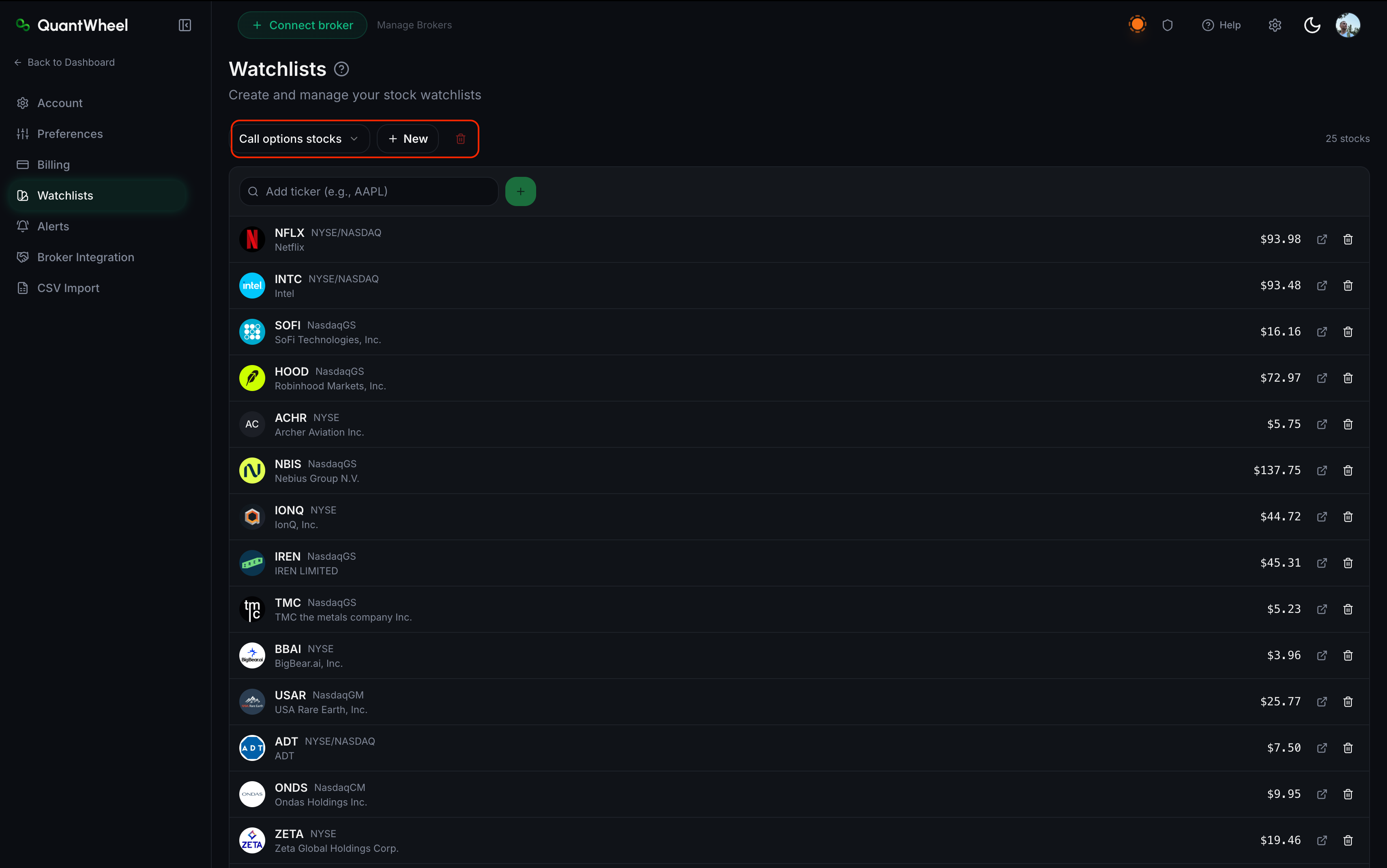
Click + New Watchlist. Give it a short, descriptive name — "Tech mega-caps," "Dividend stocks," "Oversold candidates." Bad names: "Watchlist 1," "test." You'll accumulate watchlists over time, so clear names save you from renaming later.
3. Add tickers
A search field lets you add tickers one at a time. Type a ticker or company name; select from the suggestions. The ticker appears in the watchlist immediately.
For bulk-add, some plan tiers support a paste-in-list feature — paste a comma-separated or newline-separated list of tickers, and all valid tickers get added at once.
4. Remove tickers
Each ticker in the watchlist has a remove button (typically an X or trash icon). Click to remove. Removal is immediate; there's no undo.
5. Rename or delete a watchlist
Next to the list name there is button for deletion.
6. Use the watchlist in Find Deals or Smart Alerts
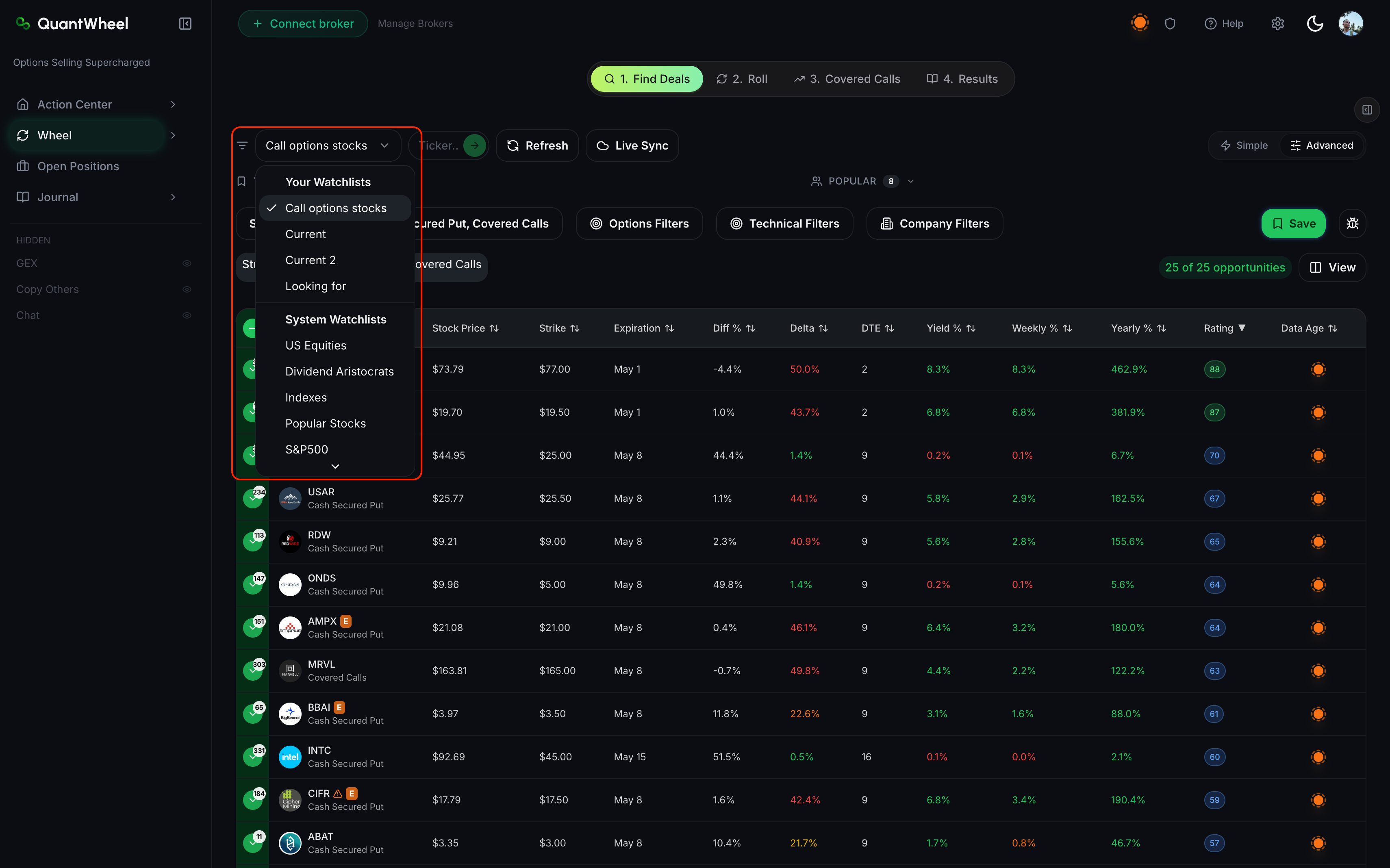
In Find Deals, the ticker-scope control includes a Watchlist picker. Select your watchlist and the screen is restricted to only those tickers.
In Smart Alerts, the scope selector includes a Watchlist option. Pick a watchlist and the alert watches any ticker in it.
Plan tier limits
- Sandbox / Free — limited number of watchlists, typically 50 tickers per list
- QuantWheel GEX — expanded limits
- QuantWheel PRO — unlimited watchlists, up to 10,000 tickers per list
See Understanding QuantWheel plans for full tier details.
How to build useful watchlists
Start with what you already own
Your first watchlist is usually "stocks I'd be willing to own." Add tickers you hold, tickers you've held before, tickers you'd happily get assigned on. This is your wheel-ready universe.
Create thematic or sector watchlists
As you identify patterns — "tech mega-caps with good IV," "dividend payers I'd rotate into," "post-earnings IV crush candidates" — make a watchlist for each. These become starting points for themed screens.
Keep a "dont-wheel" watchlist
Sometimes it helps to explicitly track tickers you've decided to avoid (broken fundamentals, bad wheel history, concentration risk). This doesn't restrict screening, but having the list visible reminds you not to chase yield on those names.
Mirror your broker's watchlists
If you track tickers across QuantWheel and your broker, keeping the watchlists synced saves cognitive overhead. Manual sync today; some users maintain a "source of truth" list and update both places when they make changes.
Common issues
A ticker isn't appearing in the search suggestions.
The ticker may not be listed on the exchanges QuantWheel supports, or it may be delisted. Major US and some international tickers are supported; penny stocks, recently-delisted names, and OTC bulletin-board names often aren't.
I added a ticker and it shows a red warning icon.
The ticker is recognized but has a known data issue (missing option chain, missing fundamentals, or a recent split that hasn't been reconciled). It'll still appear in screens but may return incomplete results.
Can I share a watchlist with another QuantWheel user?
Not directly in the product today. Workaround: export the ticker list (some tier plans have an export button) or paste the tickers manually.
How do I reorder watchlists?
The watchlist list in the sidebar follows creation order by default. Drag-and-drop reordering may be available; check by trying to drag a watchlist up or down.
I hit the ticker limit — what now?
Either split into multiple watchlists (by theme or sector) or upgrade to a tier with higher limits. A watchlist with 500 tickers is usually a sign it should be split into 3 thematic lists anyway.