
When a cash-secured put ends in the money at expiration, you get assigned — your CSP disappears and 100 shares of stock appear in its place. Same flow for a short call (you lose the shares, get cash at strike). Most of the time, QuantWheel tracks this automatically. Occasionally it misses the assignment event. This page explains why and how to fix it.
Symptoms you might see
- A CSP was in the money at expiration but Open Positions doesn't show the new shares
- A covered call got called away but the shares are still showing in Open Positions
- The Open Wheels panel shows a CSP that "finished" but doesn't show the assigned shares
- Real Cost on the ticker looks wrong because the assignment never got factored in
- Your broker statement shows the share position, but QuantWheel doesn't
Most likely cause
The broker didn't send a clean assignment event. Brokers report assignments differently — some send a single "assignment" transaction, some send the option expiration and share acquisition as two separate events that happen to land on the same day, and a few leave a gap of hours or days between the option disappearing and the shares appearing.
If the assignment happened on a weekend or after-hours (options typically expire Friday afternoon but settle into the next Monday), the delay can be longer than usual.
How to diagnose
Step 1: Wait 24 hours after expiration
The most common situation is simply timing. Friday-expiration options often don't produce fully-settled assignments in broker APIs until Monday morning. Before diagnosing further, wait a business day past expiration and check again.
Step 2: Check your broker's statement or activity feed
Log in to your broker directly (fidelity.com, schwab.com, etc.) and look at the activity feed or recent transactions. You should see:
- The option expiring or being exercised
- 100 shares of the underlying being assigned to you (for CSP) or called away (for CC) at the strike price
If the broker shows both events, QuantWheel should catch them on the next sync.
If the broker shows only the option half (option gone) but not the stock half (shares haven't appeared or disappeared), the broker itself is delayed. Wait for the broker to catch up.
Step 3: Force a Resync in QuantWheel
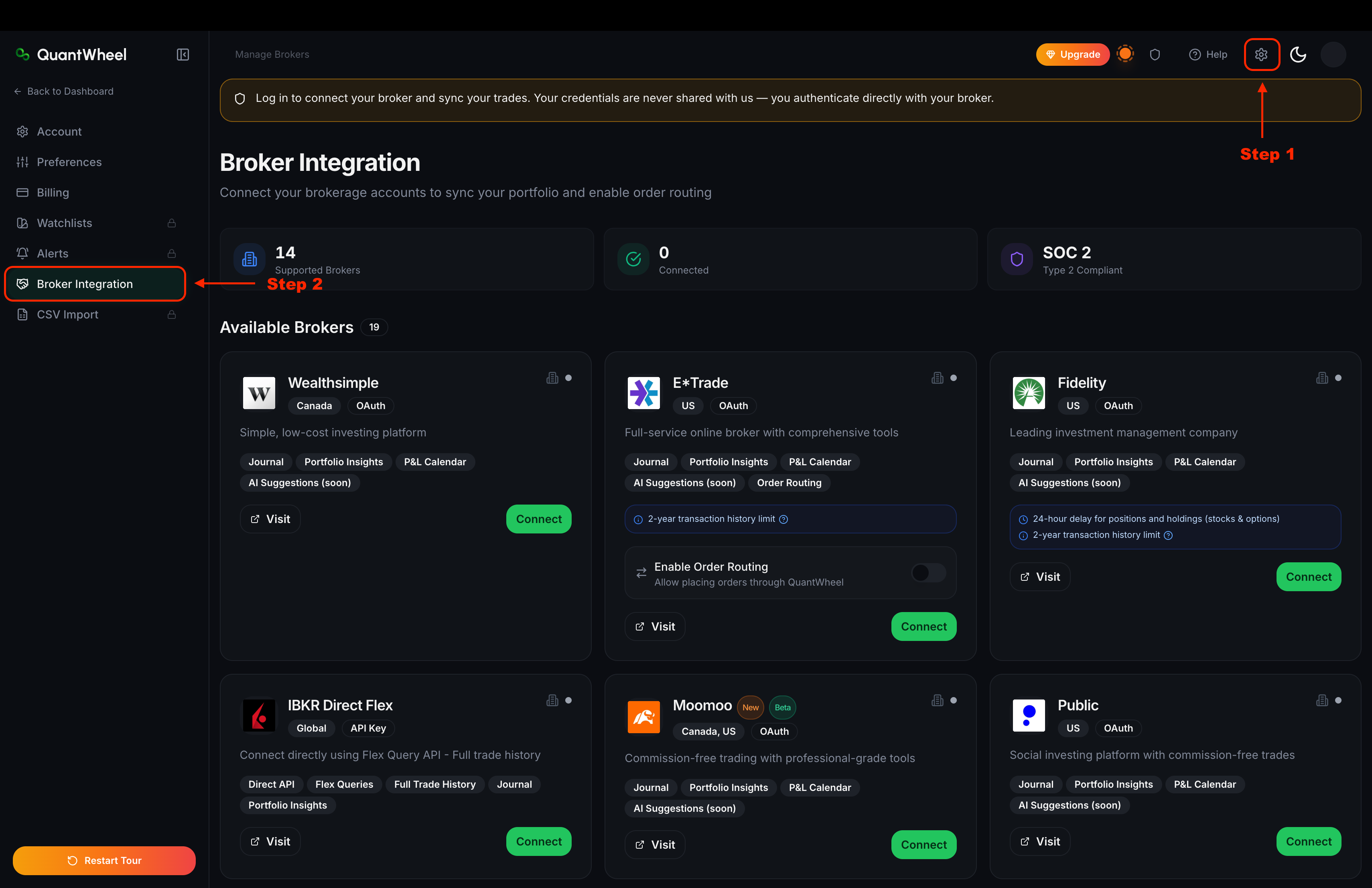
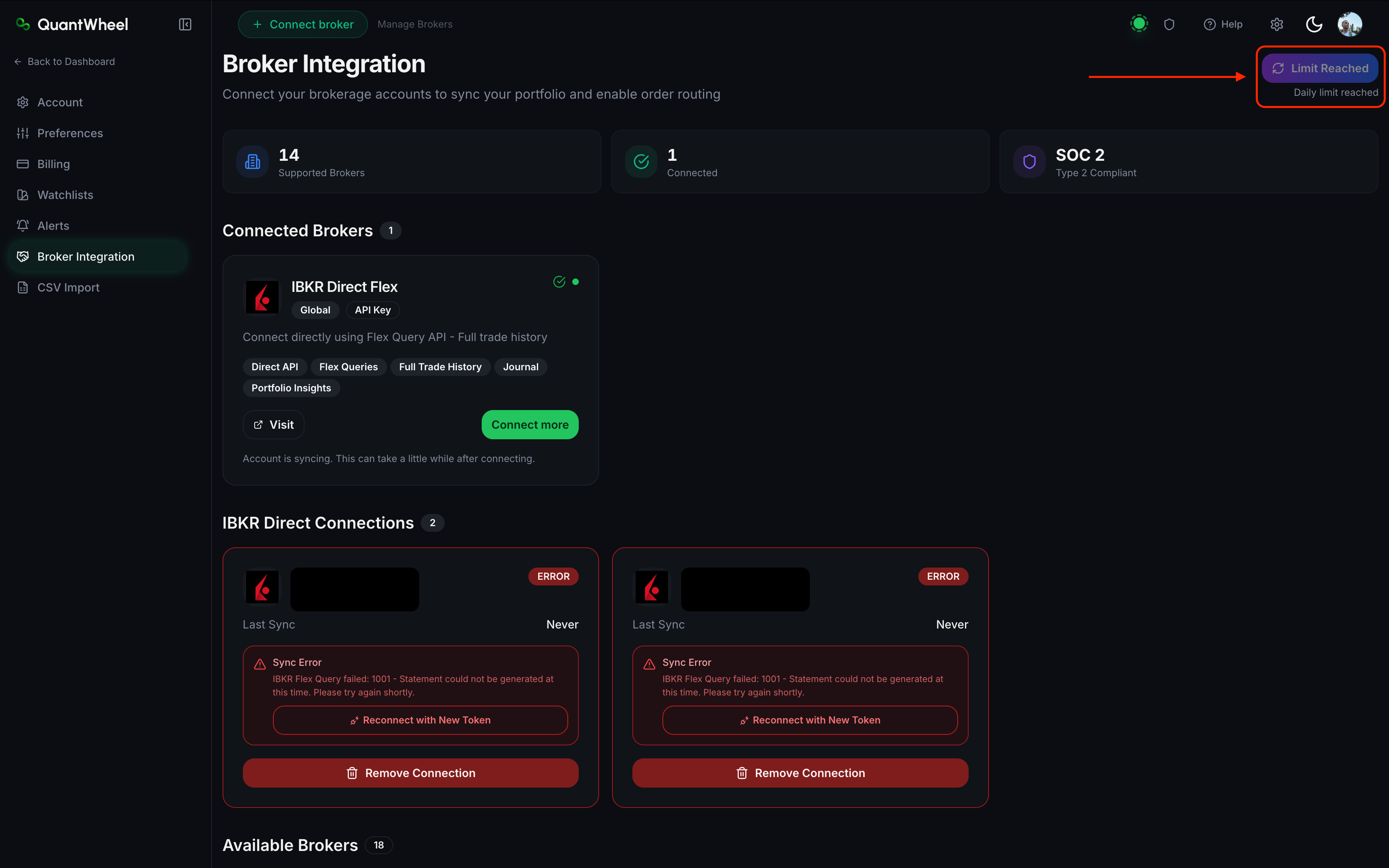
Go to Settings → Broker Integration and click Resync on the broker that should have the assignment. Wait 2–3 minutes, then check Open Positions.
If the shares appear after Resync, you're done — the trigger was just sync timing.
Step 4: Check the Trades tab for the expiration event
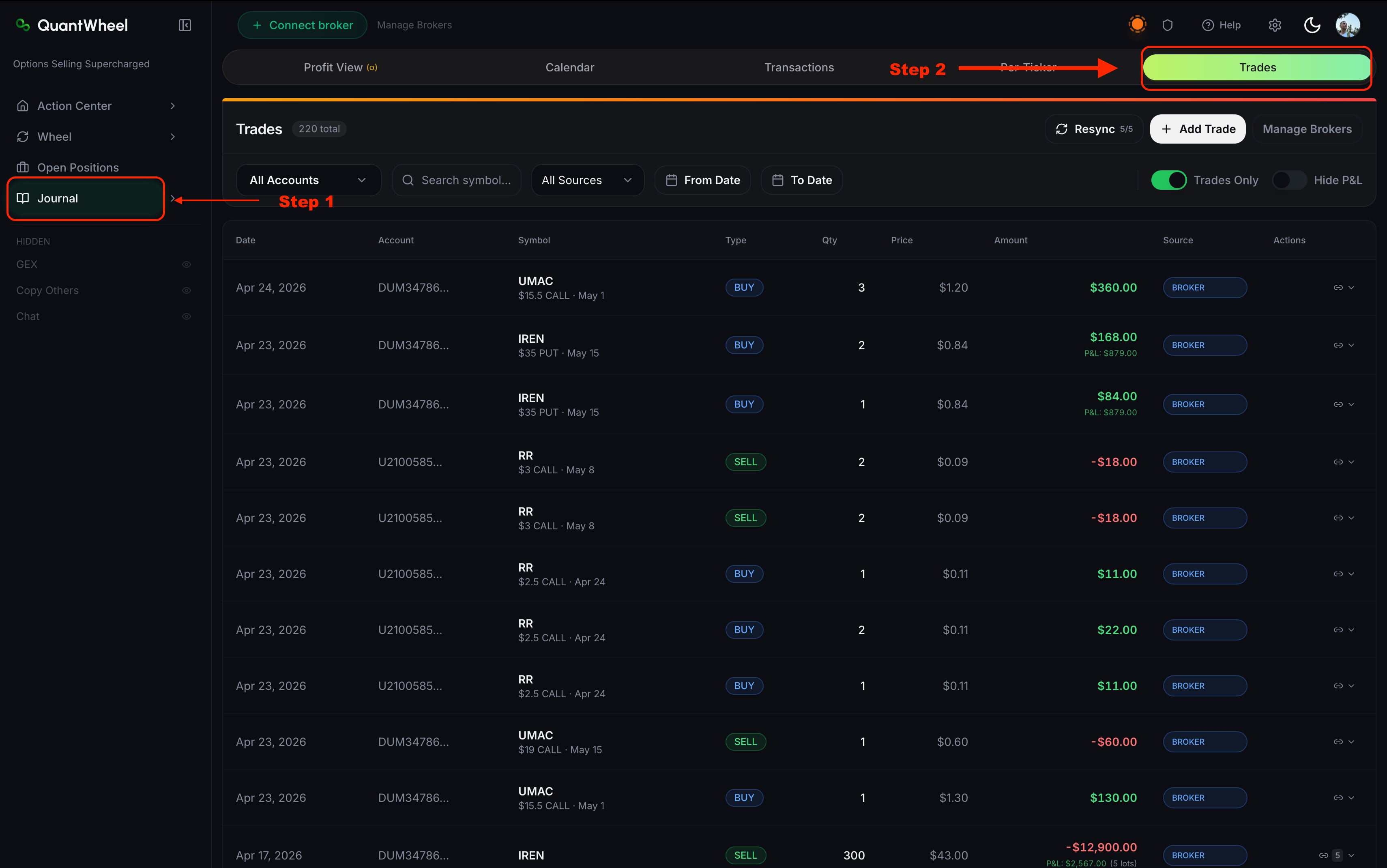
Open Journal → Trades and filter by the ticker and the expiration date. You should see:
- The option expiring (typically a row showing the option with a zero-value close or an "EXPIRED" label)
- A separate row for the stock being acquired or sold at the strike price
If you see the option expiration but no corresponding stock row, the broker hasn't pushed the stock-side event. This is a broker-side timing issue.
Step 5: Check Open Positions after a fresh sync
After Resync, Open Positions should show either:
- For CSP assignment: 100 shares of the underlying at the strike price as cost basis
- For CC called-away: the stock position reduced by 100 shares (or gone entirely if you only had one contract of coverage)
How to fix
In order of how often each works:
- Wait 24 hours past expiration, then Resync. Resolves most cases.
- Log in to your broker directly and confirm the assignment is reflected there. If not, the broker itself is delayed.
- Manually add the missing trade. On Journal → Trades, click +Add Trade. Enter the assignment as a stock buy (for CSP) or stock sell (for CC) at the strike price on the expiration date. Once added, Real Cost and Open Positions update automatically.
- CSV import from broker statement. If multiple assignments are missing across several tickers, exporting your broker's monthly statement as CSV and importing via Settings → CSV Import is faster than adding each manually.
If that doesn't work
If the broker clearly shows the assignment but QuantWheel still doesn't pick it up after 48 hours and multiple Resyncs:
- It's a QuantWheel-side issue, not broker-side
- Gather: the ticker, the expiration date, the option side (put or call), the strike, and ideally a screenshot from your broker showing the assignment
- Report via the Help link in the top bar
Support can inspect the specific sync record and, if necessary, manually reconcile. Don't keep waiting — the longer an assignment goes untracked, the more downstream aggregates (Real Cost, Per-Ticker performance, Profit View) drift from reality.