
Interactive Brokers connects to QuantWheel through an IBKR feature called Flex Queries — configurable reports that IBKR generates on a schedule and exposes through an API. You set up one Flex Query inside IBKR, note the Query ID and Token, and paste them into QuantWheel. From that point on, QuantWheel pulls your trading history automatically.
This is the only broker that uses this method. Every other supported broker uses one-click OAuth. The trade-off: Flex Query setup takes about 5 minutes upfront, but once configured it doesn't require re-authentication for a year.
Before you start
Required:
- QuantWheel PRO, QuantWheel GEX, or an active $1 trial.
- An active Interactive Brokers account with Client Portal access.
- 5 minutes.
Time to complete: 5 minutes
Steps (on the IBKR side)
Log in to your IBKR account. Navigate to Performance & Reports → Flex Queries → ⚙ Activity Flex Query.
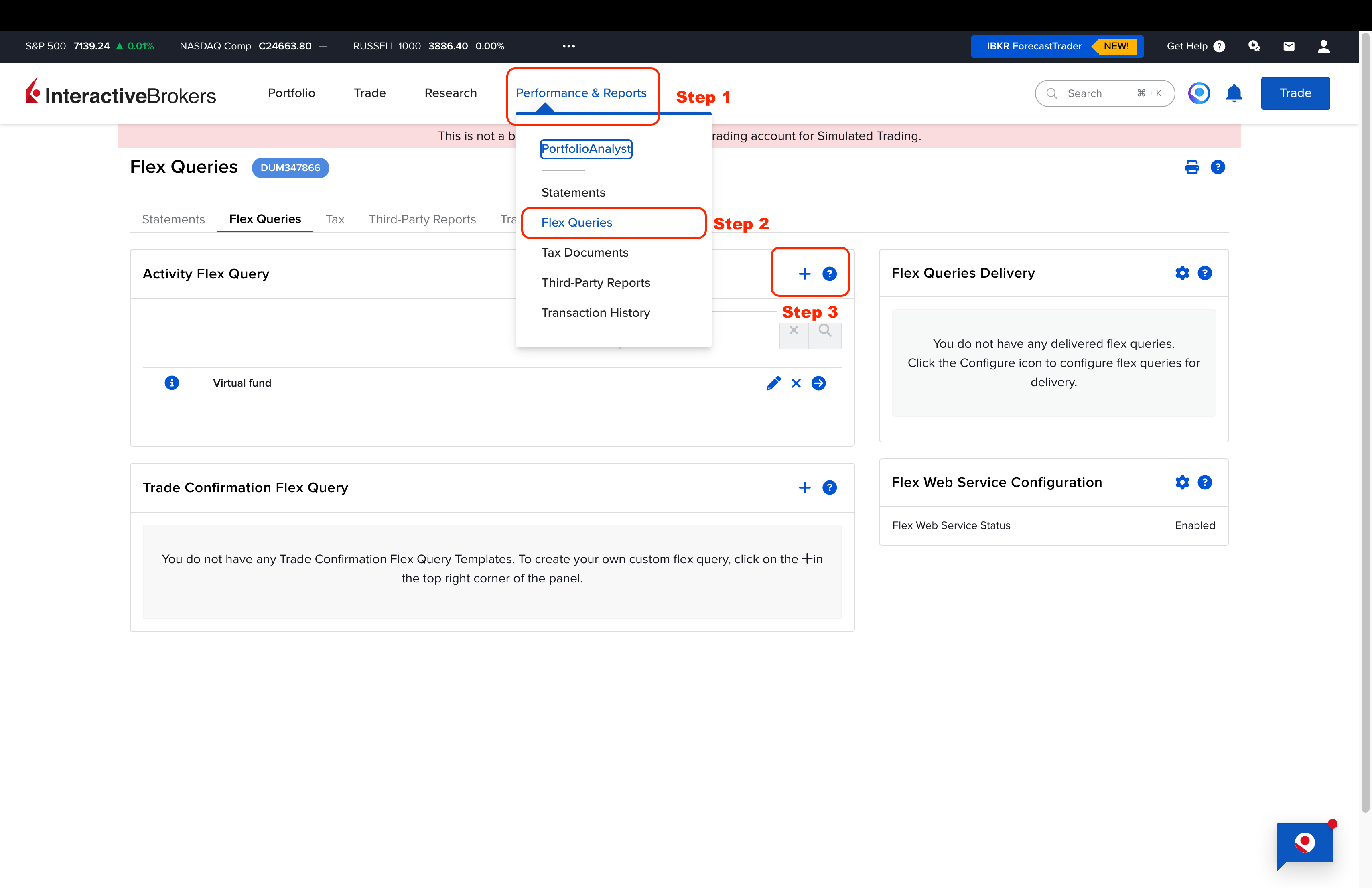
Configure the Flex Query. Select these options:
- Trades (within it select: Executions, Orders) and save
- Option Exercises, Assignments and Expirations (check all) and save
- Cash Reports ( check "Dividends") and save
- Cash Transactions (check if "Deposits and Withdrawals", "Dividends" are checked), then click save
- Transfers and click save
- Open Positions and click save
Under Delivery Configuration, select Last 365 Days as the period.
Keep the default data formatting values:
- Date format:
yyyyMMdd - Time format:
HHmmss - Field delimiter:
;(semicolon) - Output format: XML
- Date format:
Click Continue.
Note the Query ID that IBKR displays — you'll need it in a moment.If you don't already have a Flex Web Service token, generate a new one under Flex Web Service Configuration. Set Expire After to 1y (one year). Write it down/copy it and save.
Copy the Query ID and the Token.
Steps (on the QuantWheel side)
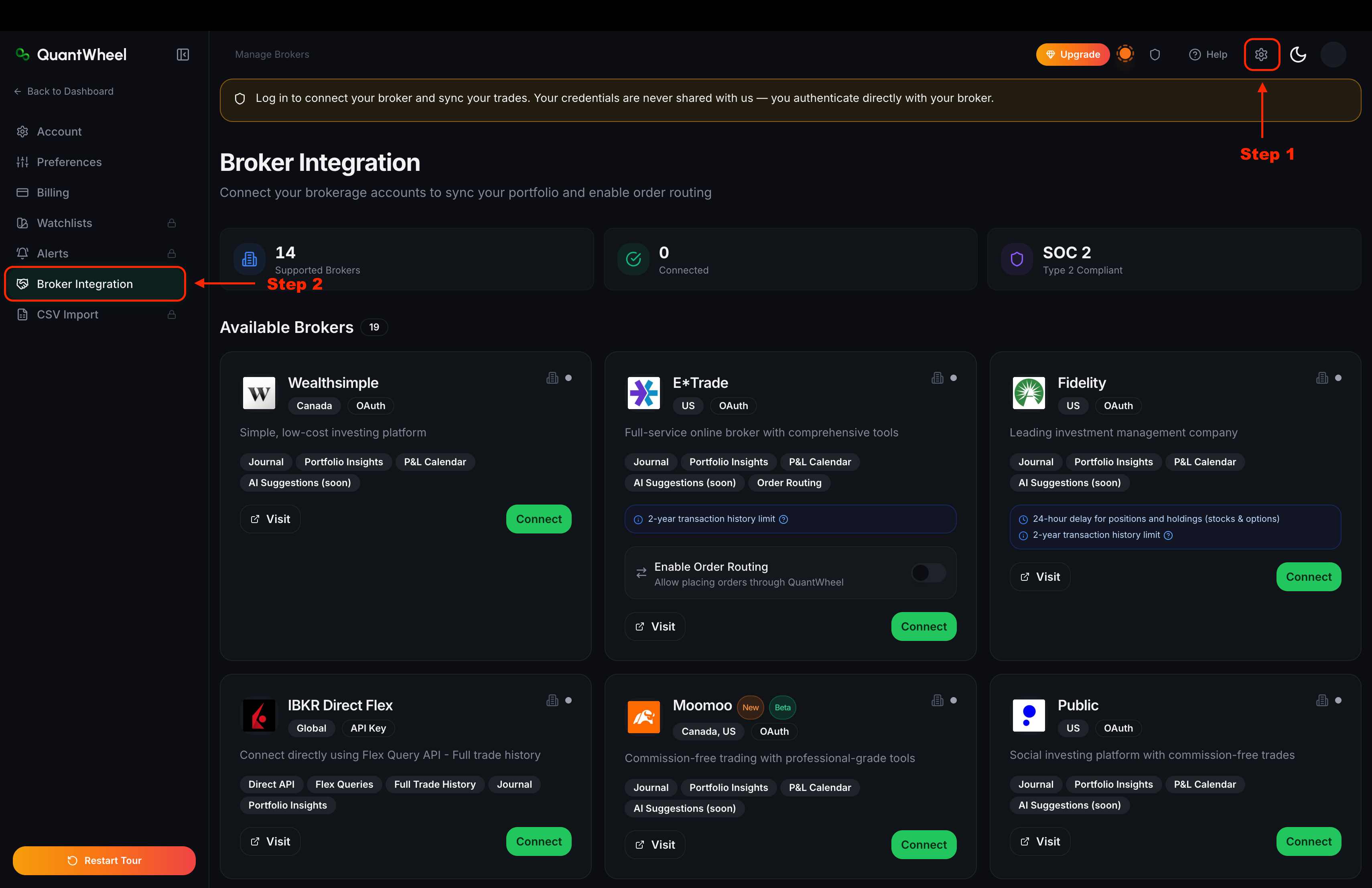
In QuantWheel, go to Settings → Broker Integration. Find the Interactive Brokers card and click Connect.
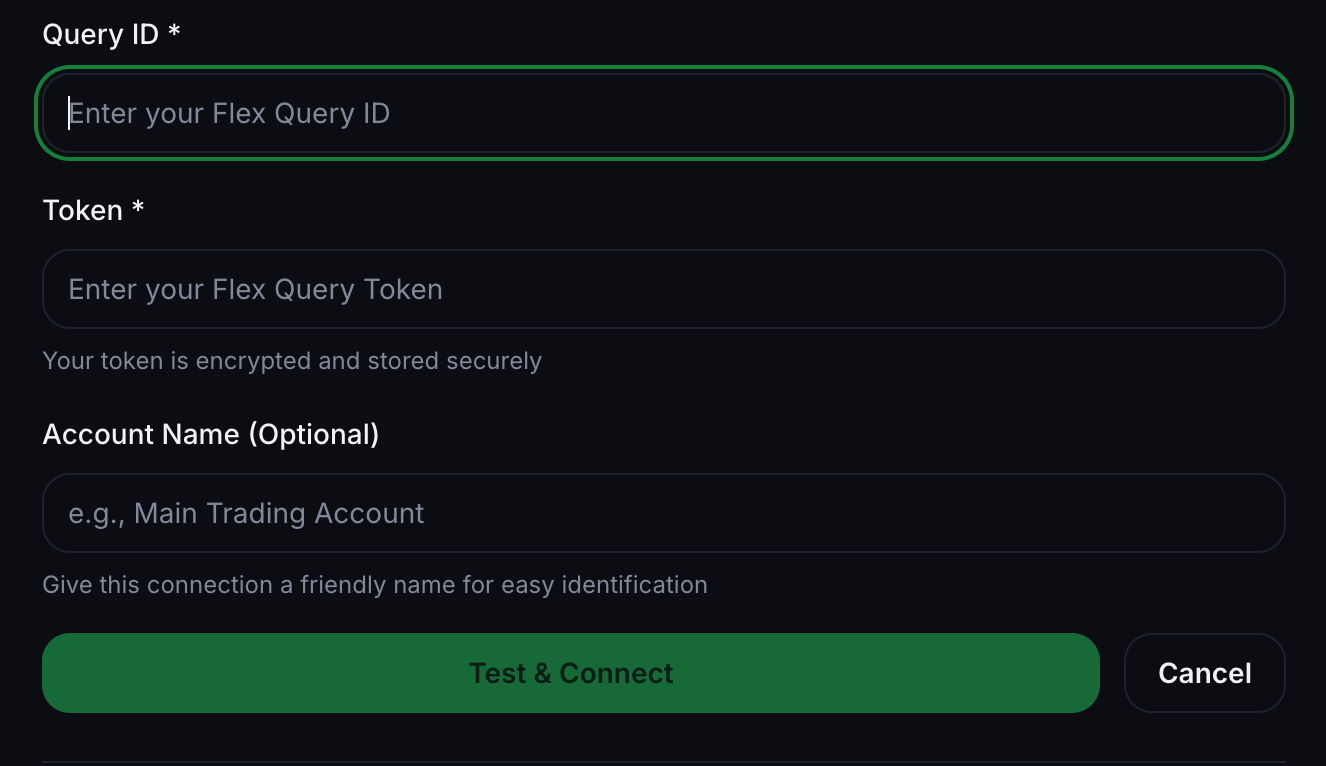
Paste the Query ID and Token into the form. Click Connect.
The broker card switches to Account is syncing. Initial sync of the last 365 days of history takes a few minutes (10-15mins).
Open Open Positions and the Journal to confirm your positions and transactions appear.Some transactions in the future (or even the initial sync) may take up to 24 hours to update in some cases.
Common issues
What's a Flex Query, and why does IBKR use it?
Flex Queries are IBKR's mechanism for exporting customized activity reports programmatically. IBKR doesn't offer a standard OAuth connection for third-party tools, so Flex Queries are the supported way to sync trading data. The Query ID identifies which report to run; the Token authenticates your request. Both are required.
My Query ID and Token are correct, but QuantWheel shows a connection error.
Three things most commonly cause this:
- The Flex Query is missing one of the six required sections (Trades, Option Exercises, Cash Reports, Cash Transactions, Transfers, Open Positions). Re-open the Flex Query in IBKR and confirm all six are selected.
- The data formatting was changed from the defaults. Confirm the date format is
yyyyMMdd, the time format isHHmmss, the field delimiter is;, and the output format is XML. - The token has expired. Flex tokens default to short expirations; QuantWheel recommends setting Expire After: 1y.
The token I copied doesn't work.
IBKR tokens sometimes include trailing whitespace when copied. Paste the token into a text editor first, remove any leading or trailing spaces, then paste into QuantWheel.
How do I rotate the token before it expires?
Go to Flex Web Service Configuration in IBKR and generate a new token. Then open Settings → Broker Integration in QuantWheel, disconnect IBKR, and re-connect with the new token. Your historical data stays in the journal.
Does the Flex Query cover options assignments and expirations?
Yes — provided you selected Option Exercises, Assignments and Expirations in step 2. Without that section, QuantWheel can't see when a CSP was assigned or a CC was called away, and wheel lifecycle tracking breaks.
I have multiple IBKR accounts — can I connect them all?
Yes. Repeat the full Flex Query setup inside each IBKR account (each account has its own Query ID and Token), then connect each one separately from the Broker Integration page. Open Positions and the Journal show combined data across all connected accounts.